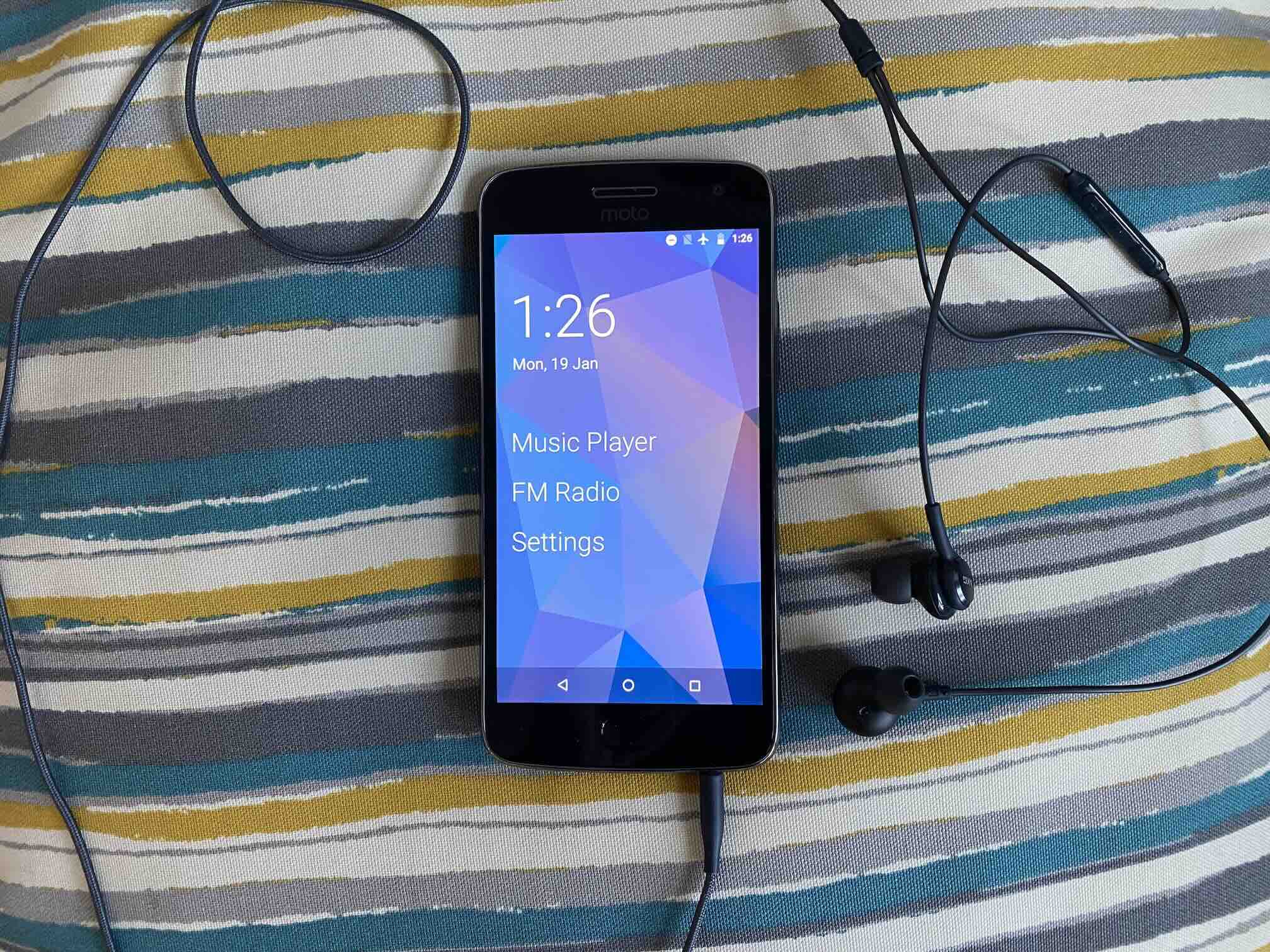
Moto G5 Plus iPod
For very little effort, I have a media player with some unique features.
My latest project is an Android phone repurposed as a dedicated media player. I’ve used other Android phones as media players, but they were either over-powered or they lacked niceties like having a bottom headphone jack1.
I landed on using a Moto G5 Plus (2017). It’s a pretty unremarkable phone. It’s specs were mid-range even when it was new. It’s old enough that it still uses a micro-USB port rather than the more modern USB-C port. But it fulfills the minimum requirements for a media player. It has an SD card reader and a headphone jack.
The software side of things aren’t that exciting either. There’s little-to-no after-market operating systems that support it. I can’t get LineageOS for it. I tried installing postmarketOS and that was a disaster that almost bricked it. It has Android 8.1 – the highest version that Motorola released for this phone – which puts it at the fading edge of modernity. But the underwhelming hardware and software of the G5 Plus makes it useful here because there’s not that many other great uses for it.
I discovered something cool about the G5 Plus that makes it uniquely suited as my media player, which is that it has a built-in FM radio tuner! I’m already a regular radio listener, so the FM tuner is the killer feature for me. I have a couple stations that I’m always up for listening to, which gives me a reason to reach for the G5 Plus without having something specific in mind. And that lack of upfront choice makes it a low-friction, approachable entertainment device.
I started with a clean factory install of Android 8.1 and I chose not to sign in to any Google account, eschewing all Google apps and services. Instead I got all of my apps (except one) from F-Droid the open source Android app repository.
There were a lot of options for music playing apps, but so far I’m happy with with my choice of Fossify Music Player. It’s completely offline and the interface is really straight-forward. I replaced the built-in Google keyboard with Heliboard to ensure that no part of Google’s internet-connected services would be invoked. The last app is the pre-installed FM Radio app from Motorola. It’s already good enough for anything I need. It automatically scans for stations, lets me save my favorite stations, and I can add labels to my saved stations.
Unlike my previous Android phone media players, I wanted the Moto G5 Plus to feel like a dedicated music player. To do that, I installed the minimal home screen/launcher Olauncher. This launcher gets rid of the traditional grid of apps and instead shows simple vertical list of app names that I pin to the home screen. I can pick how many apps I want to pin, but I limited it to three apps. I pinned both the Music Player and FM Radio to the home screen. I pinned the Settings app just in case I need it (though I rarely do so I might remove it later). Then I disabled the lock screen, so waking the device goes straight to the home screen. That’s about as close to a “dedicated” device as I can get while working within the structure of Android.
And that’s it! With a minimal launcher, a couple of apps, and some considered system settings and I have a complete media player that is very usable. All for very little effort.
This was a good exercise in “right-sizing” a device for a task. Previously I used a Samsung Galaxy S9 as media player because it also has a bottom headphone jack and an SD card reader, but it’s other specs make it useful for a lot of other things. A key part of my mission to avoid buying new things and maintain my future garbage is knowing when to promote a device to heavier work or when to use it for lighter work.
Another lesson I’ve taken from this is that, even though I’d like to install an after-market operating system, sometimes the best I can do is to just use the software that comes with the device. I’ve written about LineageOS and /e/OS as nice alternative versions of Android. Either of those would be better than Motorola’s out-of-support Android 8.1. I went looking for Lineage and /e/OS and they aren’t available for the G5 Plus. But in this case, it just didn’t matter.
While using the pre-installed version of Android may be the best I can do today, it carries longer-term risk. I found when looking for apps on F-Droid that there are a lot of apps I can’t install on the G5 Plus because it’s on Android 8.1. For example, Olauncher was not my first choice of launcher, but the other launcher I liked more requires Android 12 or higher. It’s useful to keep in mind when thinking about re-purposing or up-cycling Android phones that usually Android versions 7 or 8 is the absolute bottom-end what most apps support. And when the open source community drops support, it really is the fading edge.
Overall this project fits nicely into my goals of taking control of my media library, decentralizing features that were previously the domain of my smartphone, and getting more comfortable with using Android when re-purposing phones. I’m really satisfied that this device has found a home and a permanent place in my life.
1: A headphone jack on the bottom is the correct placement because you want the least distance between the headphone jack and your ears while holding the device. When the jack is on top, the cable has to bend and stretch around the entire body of the device before getting to your ears.